
Sellers often use the words “RDP” and “VPS” as if they mean the same thing. They don’t. Understanding the RDP vs VPS difference before you pay can save you from a slow, overcrowded machine, or from overspending on power you will never use.
In this guide, we explain both in plain language, compare them point by point, and help you decide which one fits your work, whether that is forex trading, running SEO tools, or managing a business. At the end, you will also see how to buy either one from UltraFastVPS.
What Is the RDP vs VPS Difference?

Here is the short answer. RDP is a way to connect to a computer. A VPS is the server you connect to.
Think of it like this: RDP is the door, and VPS is the house. You can enter a house through a door, and in the same way you can enter a Windows VPS through RDP. That is why people mix them up.
When a seller advertises “RDP” for sale, you normally get a login to a shared Windows machine with limited permissions. When a seller advertises a “VPS,” you get your own virtual server with dedicated resources and full control.
What Is RDP and How Does RDP Hosting Work?
RDP stands for Remote Desktop Protocol. It is a Microsoft technology that lets you see and control another computer’s desktop over the internet. You open a connection from your laptop, PC, or phone, and the remote Windows screen appears in front of you. You can open apps, move files, and work as if you were sitting at that computer.
With RDP hosting, a provider keeps a Windows server running and gives customers a username and password to log in. You do not manage the hardware or the system. You simply log in and use it.
Windows RDP
Most RDP services run on Windows, because RDP is built into the Windows ecosystem. A Windows RDP is popular with people who want a Windows desktop that stays online all day, for example to run software that cannot run on their own device.
Shared RDP vs Private RDP
This is where buyers get confused:
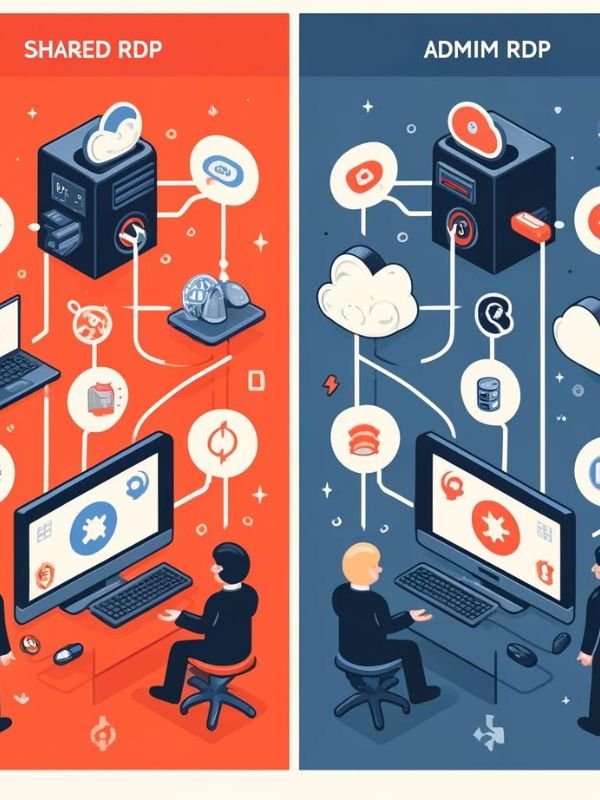
- Shared RDP: Many users log in to the same machine and share its CPU, RAM, and storage. It is cheaper, but speed can drop when others are busy.
- Private RDP: The machine is reserved for you alone. Performance is steadier and you usually get admin access.
If a seller does not say which type it is, ask before you pay.
What Is a VPS and How Is It Different From RDP Hosting?

VPS stands for Virtual Private Server. A powerful physical server is divided into several isolated virtual servers, and each one gets its own CPU, RAM, storage, and operating system.
You are the owner of that virtual server. You can install any software, change settings, restart it, and choose between Windows and Linux. A VPS is built for hosting websites, apps, trading software, bots, and databases, not only for remote desktop use.
The key difference from basic RDP hosting is ownership. With RDP you often use a desktop that someone else controls. With a VPS you control the whole environment.
RDP vs VPS Difference: 7 Key Points

1. Resources: Shared vs Dedicated
A typical RDP account sits on a machine used by many people at once. If others run heavy programs, your session slows down. A VPS gives you reserved CPU, RAM, and storage, so performance stays steady.
2. Control and Admin Access
Many RDP accounts give limited rights, so you may not be able to install certain programs or change system settings. A VPS gives you full administrator (or root) access.
3. Operating System Choice
RDP services are mostly Windows. A VPS lets you choose Windows or Linux, which matters if you run websites, scripts, or Linux-only tools.
4. Security and Isolation
On a shared RDP machine, one careless or malicious user can put others at risk. A VPS is isolated from other virtual servers, and you can set your own firewall rules and updates.
5. Performance and Uptime
For work that must run 24/7, like trading bots, automation, or hosting, a VPS is more dependable. A shared RDP is fine for light daily use but may lag at busy hours.
6. Price
RDP is usually cheaper at the start. A VPS costs more because you pay for dedicated power and control. Be careful with extremely cheap offers, since a very low price often means a crowded machine.
7. Scalability
Need more RAM or CPU later? On a VPS you can upgrade your plan without rebuilding your setup. With a shared RDP you usually have to buy a new account.
RDP vs VPS Comparison Table
| Feature | RDP (Shared) | VPS |
| What it is | Remote access to a desktop | Your own private virtual server |
| Resources | Shared with other users | Dedicated to you |
| Admin control | Limited | Full |
| Operating system | Mostly Windows | Windows or Linux |
| Security | Depends on the host and other users | Isolated environment |
| Best for | Light, short tasks | 24/7 and serious work |
| Price | Lower | Higher |
| Scalability | Limited | Easy to upgrade |
RDP or VPS: Which One Should You Choose?
Choose based on what you will actually do, not just on price.
Choose RDP If
- You need a Windows desktop for light daily tasks
- Your budget is small
- You don’t need to install special software or change system settings
Choose VPS If
- You need your setup running 24/7 without interruption
- You want full control and admin rights
- You are running software that needs steady CPU and RAM
- You may need to upgrade as your work grows
Best for Forex and Futures Trading
Trading software must stay online and respond quickly. A VPS is the safer pick because dedicated resources reduce lag, and you can keep your platform running even when your own computer is off. Choose a server location close to your broker’s servers if possible.
Best for SEO Tools and Automation
Many SEO tools, scrapers, and bots run for hours. A private RDP or a Windows VPS works well here. If you run several tools at once, go with a VPS so other users cannot slow you down.
Best for Business and Office Work
If your team just needs to open one or two Windows programs remotely, a private RDP can be enough. If you host company software, files, or multiple users, choose a VPS.
Worked Example: RDP or VPS for a CA Firm in Lucknow

Imagine a small chartered accountancy (CA) firm in Lucknow with five staff members. They use Windows-based accounting software and want to work from home during tax season.
- Option A, shared RDP: Cheap, but five people sharing a crowded machine will hit slowdowns when everyone files returns at the same time. Staff may also be unable to install the software they need.
- Option B, Windows VPS with RDP access: The firm gets its own server, installs its accounting software once, creates a login for each staff member, and keeps client data on a machine nobody else uses.
Verdict: The firm should choose the Windows VPS. It costs more each month, but the steady speed, admin access, and better data control are worth it for work that involves client records. This is an example scenario, and your own needs may differ.
Windows VPS vs Linux VPS: What Is the Difference?
Once you decide on a VPS, you must pick an operating system.
| Point | Windows VPS | Linux VPS |
| Interface | Familiar desktop, easy to use | Mostly command line |
| Remote access | RDP | SSH (terminal) |
| Software | Windows apps, MT4/MT5, accounting tools | Web servers, scripts, open-source tools |
| Resource use | Needs more RAM and CPU | Lighter, runs well on small plans |
| Cost | Usually higher because of the Windows licence | Usually lower |
| Best for | Beginners, trading platforms, desktop software | Websites, developers, automation |
Simple rule: If your software only runs on Windows, or you want a desktop you can click around in, pick a Windows VPS. If you host websites or are comfortable with commands, Linux can save money.
Note that a Windows VPS is the one you connect to using RDP, so this is the “VPS with RDP access” setup many buyers actually want.
How Much RAM and CPU Do You Need for RDP or VPS?
These are practical starting points. Heavy software may need more, so always check what your program recommends.
| Use case | Suggested RAM | Suggested CPU |
| Light browsing and office apps (one user) | 2 to 4 GB | 1 to 2 vCPU |
| One trading platform (MT4/MT5) | 2 to 4 GB | 1 to 2 vCPU |
| Several trading platforms or EAs | 4 to 8 GB | 2 to 4 vCPU |
| SEO tools and bots, several running together | 8 GB or more | 4 vCPU or more |
| Small team using shared software (3 to 5 users) | 8 to 16 GB | 4 or more vCPU |
Tips:
- Windows itself uses a good share of memory, so very small plans feel slow.
- Fast SSD or NVMe storage makes a bigger difference to everyday speed than many people expect.
- It is easier to upgrade a VPS later than to over-buy now.
How to Set Up a Windows RDP Connection
Once you have your server’s IP address, username, and password, connecting takes only a few minutes.
On Windows
- Press Windows + R, type mstsc, and press Enter.
- Enter the server IP address in the Computer field and click Connect.
- Type your username and password when asked.
- Accept the certificate prompt if you trust the server. The remote desktop will open.
On Mac
- Install Microsoft’s free Remote Desktop app (now offered as the Windows App) from the App Store.
- Add a new PC and enter the IP address.
- Save your username and password, then connect.
On Android or iPhone
- Install Microsoft’s Remote Desktop app from your app store.
- Tap the add button, enter the IP address and login details.
- Tap the saved connection to open your server.
If it will not connect: check the IP address, make sure the server is running, confirm your internet is stable, and ask your provider whether the RDP port is open for your connection.
Is RDP Safe, and What Should You Check Before Buying?
RDP itself is a trusted technology, but it is a common target for attackers when it is set up carelessly. Safety depends mostly on how you configure it and who provides it.
Cheap RDP Warning Signs
- The seller will not say whether it is shared or private
- The price is far below everyone else’s
- No clear support channel or refund terms
- The seller asks you to pay only through untraceable methods
Admin Access, Location and Uptime
Before you buy, check these points:
- Admin access: Do you get full administrator rights or limited ones?
- Server location: Is it close to you or to the service you will connect to?
- Uptime and support: Does the provider offer real support if something breaks?
- Hardware: Is the storage SSD or NVMe, and are the RAM and CPU clearly listed?
Basic Security Habits
- Use a strong, unique password and change the default one
- Turn on Windows Firewall and keep Windows updated
- Do not share your login with strangers
- Use a VPN or restrict access to known IP addresses where possible
Buy RDP or VPS From UltraFastVPS
If you now know what you need, you can get it directly from UltraFastVPS. Here is a simple way to choose:
- Decide your use case: trading, SEO tools, business software, or hosting.
- Pick the type: a private RDP for light tasks, or a VPS for 24/7, heavy, or multi-user work.
- Match the resources: use the RAM and CPU table above as your guide.
- Choose your operating system: Windows if you want a desktop, Linux if you host or use commands.
- Place your order at ultrafastvps.com, then connect using the steps in this guide.
Not sure which plan suits your work? Contact the UltraFastVPS team before you buy and tell them what software you will run. A few minutes of questions can save you from buying the wrong plan.
FAQs
Is VPS and RDP the same?
No. RDP is a protocol used to connect to a computer. A VPS is the virtual server itself. You can use RDP to connect to a Windows VPS, which is why the two are often confused.
What is the difference between RDP and VDS?
A VDS (Virtual Dedicated Server) is very similar to a VPS. The two terms are often used for the same thing, and both give you dedicated resources and control. RDP is only the way you connect.
What is the difference between VPN and VPS?
A VPN hides your internet traffic and changes your apparent location. A VPS is a remote server you can run software on. They do different jobs.
Can I use RDP on a VPS?
Yes. A Windows VPS is normally accessed through RDP, and this is the most common setup.
Is RDP cheaper than a VPS?
Usually yes, because RDP is often shared. The lower price comes with shared resources and limited control.
Which is better for forex trading, RDP or VPS?
A VPS, because it stays online 24/7 and gives dedicated resources, which helps trading software run without interruptions.
Final Thoughts
The RDP vs VPS difference comes down to this: RDP is how you connect, and a VPS is what you connect to. For quick, low-cost tasks, a private RDP can be enough. For anything serious, long-running, or business-related, a VPS is the smarter investment.
Ready to get started? Visit ultrafastvps.com, pick the plan that matches your work, and connect in minutes.
3 Responses